


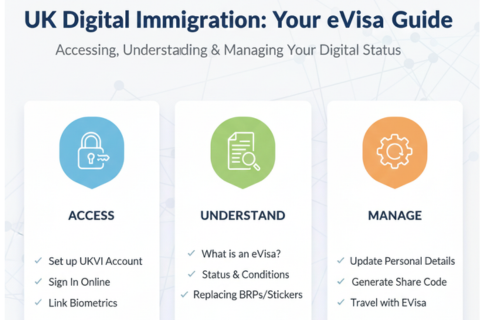
The UK's Digital Immigration Status: A Complete Guide to Your eVisa
Understanding, Accessing, and Maintaining Your Electronic Visa Record
Section Focus: Introduction
What Your Digital Immigration Status (eVisa) Represents
An eVisa is the United Kingdom's digital replacement for traditional physical immigration documents. It serves as an electronic record containing all crucial information about your right to be in the UK:
- Your Status: This includes your immigration standing, such as the specific type of visa you hold (e.g., Skilled Worker, Student) or if you have permanent permission to stay (Indefinite Leave to Remain or settlement).
- Conditions: The eVisa clearly outlines the rules tied to your status, such as whether you are permitted to work, study, or claim public funds in the UK.
eVisas are systematically replacing older physical documentation to streamline immigration records. This digital format is currently taking the place of:
- Biometric Residence Permits (BRPs), which have already been phased out.
- Biometric Residence Cards (BRCs).
- Wet ink stamps or visa stickers (vignettes) previously placed inside passports.
You will typically be granted an eVisa following a successful application for any new visa or permission to remain in the UK.
How to Access and Use Your eVisa
Your eVisa is designed for ease of use in daily life and travel:
- Proving Your Status (Share Code): To demonstrate your right to work, rent a property, or access certain public services, you must view your eVisa online and generate a share code. This share code can then be given to employers, landlords, or government agencies, allowing them time-limited, secure access to verify your status.
- Traveling: You can use your eVisa for travel, provided you have securely added and linked your passport or travel document details to your digital record.
Section Focus: Access
Set up a UKVI account to access your eVisa
To access and manage your eVisa, you must use a dedicated UK Visas and Immigration (UKVI) account.
- If you do not already have an account, you can easily set up a UKVI account online.
Note: There is no fee required to set up your UKVI account or to access your digital eVisa status.
Accessing Your UKVI Account
To access and manage your digital immigration status (eVisa), you must have a UK Visas and Immigration (UKVI) account. This account is the central hub for viewing your status, generating share codes, and updating your personal details.
Check if You Already Have an Account
You should not create a new UKVI account if you already have one. You will already have an account if you have ever:
- Used the ‘UK Immigration: ID Check’ app to confirm your identity for a visa application.
- Received a UKVI account confirmation email after applying for a visa.
- Replaced a physical document (like a BRP or BRC) with an eVisa.
- Applied to the EU Settlement Scheme.
If you are unsure, you can attempt to sign in to the view your eVisa service to check if an account exists under your details.
Creating Your UKVI Account
To create your account, you will need a reliable phone number and email address that you will use every time you sign in.
Required Information
You will also need one of the following documents to link your details:
- A valid passport AND your visa application number (GWF or UAN).
- A valid passport AND your BRP number.
- Your expired BRP card (you can use it for 18 months after the expiry date printed on the card).
Identity Confirmation
After creating your account, you will be asked to confirm your identity and link your eVisa.
- This process often requires access to a smartphone to install a specific identity confirmation app.
- Alternative Confirmation: If you do not have a valid passport, an expired BRP card, or cannot access a smartphone, you will be offered an alternative way to confirm your identity.
- Crucial Step: You cannot access your eVisa until you have linked it to your UKVI account. You can link your account later if you did not do so during the initial setup.
Getting Support
You can contact UKVI online for assistance with using your account or accessing your eVisa. Extra help is available if you are in the UK and are elderly, disabled, vulnerable, do not have a permanent address, or lack internet access/confidence.
Helping Someone Else
You can help another person (like a relative who struggles with the internet) to create their UKVI account.
- If you are managing the account on their behalf (e.g., for a child or someone with power of attorney), use your own phone number and email address to sign in.
- If the person later becomes able to manage their own account (or a child turns 18), you should update the UKVI account details to their own email and phone number so they can take control of their status.
Section Focus: Eligibility
Who Needs and Can Access an eVisa?
You can generally access an eVisa if you hold:
- Any visa allowing you to be in the UK (England, Scotland, Wales, or Northern Ireland) for more than 6 months.
- Settlement in the UK (also called Indefinite Leave to Remain).
- Permission to be in the UK for 6 months or less under most work, family, or study visas.
If your partner and children are joining you as 'dependants,' they each need their own separate UKVI accounts to access their individual eVisas.
Note on Physical Documents: If you have an old physical immigration document (like a BRP) that has no expiry date and proves settlement, you can choose to apply for a 'no time limit' application to get an eVisa, but it is not mandatory.
When You Do Not Need an eVisa
You generally do not need an eVisa if you:
- Are visiting the UK with an Electronic Travel Authorisation (ETA).
- Have a Standard Visitor visa. (Note: This may change from 3 November 2025).
- Have an EU Settlement Scheme family permit. (Note: This may change from 17 November 2025).
- Are exempt from immigration control (e.g., diplomats, 'right of abode').
- Have permission to stay in the Channel Islands or the Isle of Man.
Get an eVisa if you have settlement in the UK (No Time Limit Route)
This section explains the process for settled residents (Indefinite Leave to Remain/Enter) who hold older, physical proof of their status and wish to transition to a digital eVisa record.
Why Apply for an eVisa for Settlement?
If you have physical proof of your immigration status that:
- Has no expiry date, and
- Proves you have settlement in the UK (known as Indefinite Leave to Remain - ILR, or Indefinite Leave to Enter - ILE),
you can choose to apply for an eVisa. The benefit is moving your status to a secure digital record, which makes it easier to prove your identity and settlement status to employers, landlords, and others.
Important: Getting an eVisa will not change your existing immigration status. You will still be able to use your physical document.
The Application Route: No Time Limit (NTL)
To obtain an eVisa in this scenario, you need to make a free ‘No Time Limit’ (NTL) application.
Do NOT make an NTL application if you have an expired Biometric Residence Permit (BRP) or other evidence of settled status; there is a different way to access your eVisa for those documents.
What You Need for an NTL Application
- A reliable phone number and email address for sign-in.
- The passport or travel document you used when you last entered the UK.
- The physical document that proves your settlement status (if you have it).
UKVI Account Setup
You will create your essential UK Visas and Immigration (UKVI) account at one of two points:
- At the start of your NTL application, if you have a valid passport.
- When your NTL application is approved, if you do not have a valid passport.
After You Apply (Biometrics and Processing)
- Biometrics Appointment: You will be required to have your fingerprints and photo (biometric information) taken at a UK Visa and Citizenship Application Services (UKVCAS) service point.
- Supporting Documents: You will be asked to provide supporting documents (details given at the end of your application). You can either upload these documents online or pay to have them scanned at your UKVCAS appointment.
- Processing Time: It can take up to 6 months to process an NTL application. You are permitted to continue using your physical immigration document while your application is being processed.
Section Focus: Proof of Status
View Your eVisa and Get a Share Code (Quick Guide)
This section provides a short, rewritten guide on how to access your digital immigration status and generate a share code to prove your rights in the UK.
Proving Your Status with a Share Code
Your eVisa is the definitive digital record of your identity and immigration status, including your specific rights to work, rent, or claim benefits in the UK. Instead of showing your eVisa directly, you will generate a share code to prove your status to third parties (like employers or landlords).
- Process: You provide the third party with the share code and your date of birth. They use this information to securely verify your status online.
- Validity: A share code is valid for 90 days. You can use the same code multiple times until it expires, and you can generate a new code whenever needed.
- Privacy: When you generate the code, the system will tell you exactly which of your personal details the recipient will be able to view.
Accessing Your eVisa and Generating the Code
To sign in and view your eVisa, you need the details you use for your UKVI account. This includes:
- Access to the mobile phone number or email linked to your account.
- One of the following linked documents: Passport (valid or expired BRP/BRC), National identity card, or UKVI customer number.
Before You Get a Share Code
It is crucial to update your UKVI account first if:
- You have changed your name or nationality.
- Your photo needs changing because you cannot be recognised from the current one.
Section Focus: Travel
Travel with Your eVisa: Essential Checks Before You Go
Using your eVisa for travel requires careful preparation to ensure a smooth journey and avoid delays with your carrier or at the UK border.
Before Traveling to or from the UK
It is your responsibility to ensure all your digital records are correct and synchronized with your travel document before departure.
- Verify eVisa Details: Check your eVisa to ensure all details are accurate.
- Update UKVI Account: Make sure your UK Visas and Immigration (UKVI) account has your most recent passport and personal details.
- Obtain a Share Code: Generate a share code—your carrier or a border official may ask for it as additional proof.
- Match Details: Ensure your details in the UKVI account exactly match the passenger information you provide to your airline or carrier.
Why this matters: Your carrier (airline, etc.) may refuse to let you board, or you may face delays at the UK border, if your digital records are incorrect or incomplete.
If You Have Multiple Nationalities
- Add All Passports: If you have more than one nationality, add the passport you plan to travel with to your UKVI account. You can link multiple passports.
- British/Irish Exemption: If you are a British or Irish citizen, you do not need an eVisa and should travel using your British or Irish passport.
Changes to Your Passport While Outside the UK
- Passport Number Change Only: If you get a new passport and only the passport number has changed, you should update the details in your UKVI account before you travel.
- Change in Personal Details: If any of your personal details have changed (such as name, nationality, date of birth, or sex), you must apply for a temporary visa to enter the UK. You will then be able to update your UKVI account once you have arrived in the UK.
At the Border
- Travel Document: You must travel with a passport or travel document that you have successfully added to your UKVI account.
- Automatic Check: Your eVisa will be checked automatically when you present your passport to your carrier or pass through border control.
- Additional Proof: Be prepared for border officials to request additional proof of your immigration status, such as a share code or a physical immigration document (if you still hold a valid one).
- Physical Documents: If you still hold a valid physical document (like a sticker/stamp for ILR, a right of abode certificate, or a Home Office travel document), carry it with you.
Section Focus: Maintenance
Update your details in your UKVI account
Maintaining accurate and current information within your UK Visas and Immigration (UKVI) account is crucial for ensuring a smooth experience with your eVisa, travel, and communication with the Home Office.
Why You Must Keep Your Account Up-to-Date
Keeping your UKVI account current prevents delays and ensures compliance:
- Proof of Status: The details are correct when you view your eVisa and get a share code, ensuring seamless proof of your immigration status to employers or landlords.
- Travel: It guarantees you can travel with your current passport or travel document without delays from carriers or at the UK border.
- Communication: It ensures UKVI can contact you reliably, for instance, regarding a pending visa decision or the return of your documents.
Risk: If your UKVI account is not up to date, you may face delays when you travel or while waiting for a visa decision.
What Details Need Updating
You must update your UKVI account if you change your:
- Passport or travel document (new number or new document).
- Name, mobile phone number, email address, home address, or postal address.
You can also use the service to:
- Correct your date of birth.
- Add or change a nationality (e.g., if you acquire dual nationality).
- Add another passport or travel document.
- Change your photo if your appearance has changed and you are no longer recognizable from the current picture.
Important Restriction: You cannot change your name or your passport/travel document if you are currently waiting for a visa application decision.
How to Update Your Details
To sign in and update your details, you need the log-in credentials for your UKVI account, which could include your:
- Passport, national identity card, expired BRP, or BRC (valid or expired).
- UKVI customer number.
- Access to the mobile phone number or email address linked to your account.
Note on Identity Changes: If you are updating your name, date of birth, or nationality, you will need an identity document that proves the change has occurred.
When to Use Alternative Services
- No Proof of Change: If you are updating your name, date of birth, or nationality but do not have an identity document that proves the change, there is a different way to update your details.
- eVisa Error: You should report an error with your eVisa if the details on your eVisa are wrong (e.g., incorrect name or status).
Section Focus: Troubleshooting
Report an eVisa Error (Quick Guide)
Use the error reporting service only if you have a technical or data issue with your digital immigration status.
When to Report
Report an error if:
- Details are Wrong: Your eVisa shows the wrong name, date of birth, or immigration status.
- Share Code Fails: You can view your eVisa but cannot generate a share code.
- Technical Viewing Error: You cannot view your eVisa due to a technical error when signed in.
- Initial Sign-in Failure: The Home Office set up your UKVI account, and you have never been able to sign in.
What You Need
You must provide contact details and the following:
- Your name, date of birth, and nationality (as they appear incorrectly on the eVisa if reporting a data error).
- One official number: Passport number, expired BRP number, GWF/UAN number, or UKVI customer number.
When NOT to Report
Use separate services if you need to:
- Update details: Change your current address, passport, name, or photo.
- Recover Account: You lost access to the email or phone number used for security codes.
- Carrier Problems: If your airline cannot check your eVisa, they should be asked to contact the UK Border Force carrier support hub for assistance.
Do you need me to provide the official government links for setting up a UKVI account, viewing the eVisa, or reporting an error?